
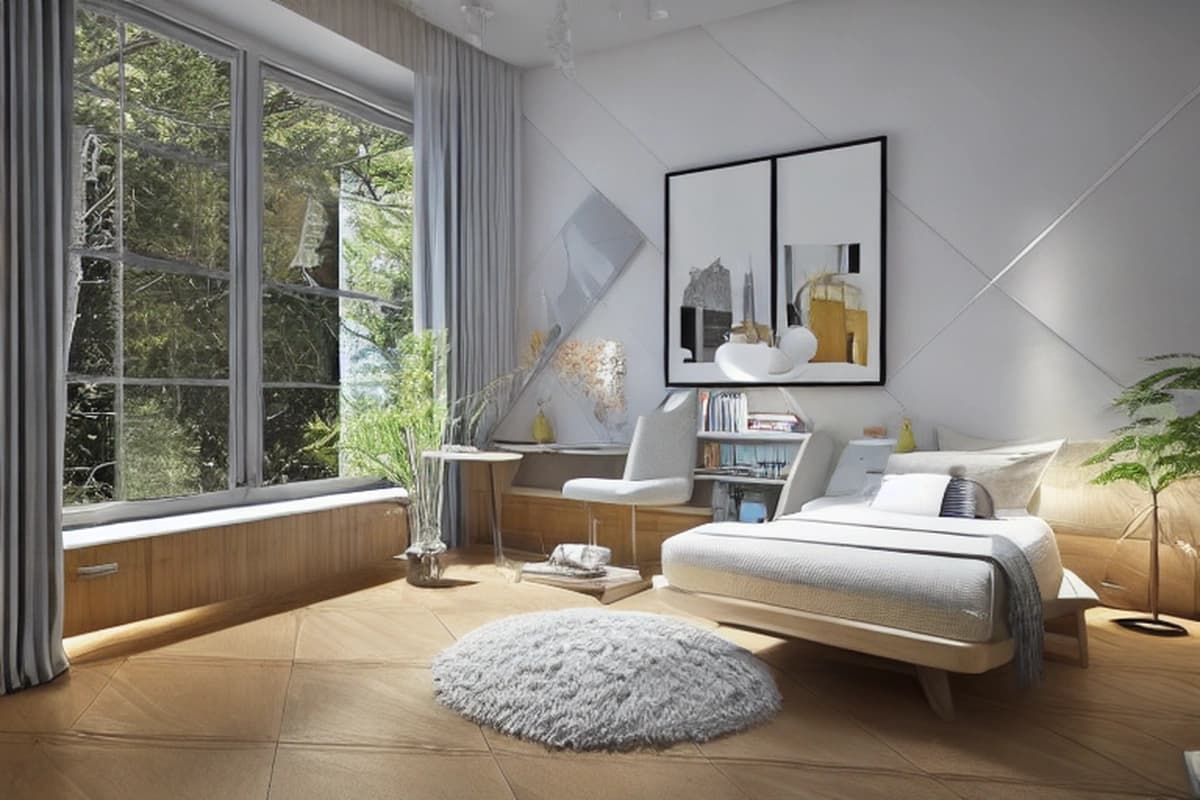
Wabi Sabi Vs Industrial Interior Design | AI Room Planner

How to Plan a Small Living Room with AI: Wabi-Sabi Microcement vs Industrial Loft
Quick Answer: For a small living room, use AI room planning before buying furniture or committing to finishes. Upload a bright, eye-level photo of the existing room, generate at least two controlled layouts, then compare circulation, furniture scale, storage, lighting, acoustic comfort, and visual weight rather than judging the render by style alone. For a calm compact room, a wabi-sabi scheme with warm microcement, pale timber, and textiles creates a quieter visual field. An industrial loft direction works when you want exposed brick, steel, darker accents, and stronger architectural contrast. Keep primary circulation around 75–90 cm, allow roughly 35–45 cm between sofa and coffee table, and use the AI render to build a dimensioned shopping list before spending money.
Why AI Is More Useful Than Guessing From a Mood Board
A small living room has very little tolerance for layout mistakes. Moving a sofa 20 cm can change the walking route, block a cabinet door, make a rug look undersized, or leave the coffee table too close to the seating.
This is where AI room planning becomes useful. The purpose is not to let an image generator make every design decision. The useful workflow is to create several visual options from the same room, identify the differences, and then verify those differences against actual measurements.
That distinction matters because a convincing render can still contain furniture that is too large for the room. An AI image can also make a narrow passage appear wider than it is, simplify wall openings, or invent storage dimensions that do not exist in the real product market.
Use AI for visual comparison and early decision-making. Use measurements, product dimensions, technical documentation, and on-site checks for implementation.
For a small living room, start with two distinct design directions rather than generating ten unrelated styles:
Wabi-sabi microcement: warm, quiet, tactile, restrained, and visually continuous.
Industrial loft: architectural, higher contrast, darker accents, exposed materials, and stronger visual structure.
Testing both against the same room lets you compare more than aesthetics. You can see how each approach handles circulation, light, storage, acoustic softness, furniture scale, and visual clutter.
The goal is not to make the room look impressive in a single AI image. The goal is to determine which decisions remain practical when the image becomes a real room.
AI Planning vs Traditional Room Planning
| Method | Speed | Layout Testing | Style Comparison | Physical Accuracy | Best Use |
| AI room planning | High | High | High | Medium | Early visual decisions |
| Mood board | High | Low | High | Low | Material and color direction |
| Manual floor plan | Medium | High | Low | High | Dimensions and circulation |
| Physical rearrangement | Low | High | Low | High | Testing existing furniture |
| AI + measurement | High | High | High | High when verified | Full planning workflow |
A mood board tells you what you like. A floor plan tells you what fits. AI can help connect those two stages by showing how a particular layout and material direction could look in the actual room.
The strongest workflow combines all three.
The Two Styles to Test in AI
Wabi-Sabi Microcement
Wabi-sabi works particularly well when the goal is to make a compact room feel visually quiet rather than visually empty.
A microcement finish can create broad, continuous surfaces without the repeated grout lines associated with many tile installations. In an AI render, this can make walls and floors read as a calmer background for furniture, timber, ceramics, woven textiles, and plants.
A practical wabi-sabi palette might use:
Warm gray, greige, sand, or muted taupe.
Pale or medium natural timber.
Off-white linen or cotton.
A textured wool or flatweave rug.
Matte ceramic accessories.
Low-saturation green from plants.
Black or dark bronze only in small quantities.
The style should not become a collection of distressed objects. The useful part of the aesthetic is restraint: fewer dominant shapes, tactile surfaces, and enough empty visual space around furniture.
For a small room, avoid making every surface heavily textured. If the wall, floor, rug, curtains, sofa, and accessories all compete for attention, the room can look smaller despite using light colors.
Industrial Loft
Industrial loft design creates a different visual hierarchy.
Instead of minimizing architectural contrast, it can emphasize it through brick, concrete, steel, dark timber, black-framed glazing, visible lighting hardware, or darker furniture.
In a small living room, the main risk is visual density. Exposed materials can look excellent in a large open space but become heavy when several dark or highly textured elements are placed close together.
A controlled industrial palette might include:
Warm gray or concrete-toned walls.
One exposed brick surface rather than brick everywhere.
Black or charcoal metal.
Medium or dark timber.
A neutral sofa with a simple silhouette.
A textured rug to soften the room.
Directional lighting with controlled glare.
A limited number of decorative objects.
The AI comparison should therefore keep the room geometry, sofa position, window openings, and approximate furniture scale as consistent as possible. Change the design language, not the entire room.
Step 1: Photograph the Room for AI
The quality of the input photograph has a direct effect on how useful the comparison will be.
Before taking the photo, remove temporary clutter that does not belong in the final room. You do not need to empty every shelf, but clear packaging, loose cables, laundry, bags, and objects that obscure the floor or major furniture.
Then photograph from approximately eye level.
A useful starting position is near the entrance or opposite corner, with the camera facing toward the main seating area. Keep the camera approximately level rather than pointing sharply downward or upward.
Take at least three photographs:
Main perspective: shows the sofa, floor, primary wall, and circulation route.
Opposite perspective: shows the relationship between seating, entrance, storage, and windows.
Side perspective: helps reveal depth, radiator locations, doors, and furniture clearance.
Also record basic dimensions separately:
Room length.
Room width.
Ceiling height.
Sofa width and depth.
Existing cabinet dimensions.
Door width and swing.
Window width and sill height.
Radiator dimensions and position.
Distance from the sofa to the nearest wall.
Existing lighting points.
AI does not need every measurement to create a useful concept, but you need those measurements later to decide whether the concept can become a real shopping list.
Step 2: Upload the Photo and Set the Room Type
Upload the clearest photograph to AI Room Planner and select the small living room category.
Do not begin by asking for an extremely specific decorative scene. First establish the room type and preserve the important architectural conditions.
A useful instruction should identify:
Room type.
Desired style.
Existing architectural features to preserve.
Preferred color temperature.
Furniture density.
Storage requirement.
Lighting preference.
Need for realistic circulation.
For example, a wabi-sabi direction can be described as:
Small living room, wabi-sabi interior, warm greige microcement walls, natural oak, soft linen upholstery, low-profile furniture, restrained accessories, warm layered lighting, tactile neutral rug, hidden storage, realistic proportions, preserve the existing windows and doors, maintain clear circulation.
For the industrial comparison:
Small living room, refined industrial loft interior, warm concrete tones, one restrained exposed brick feature, black metal accents, medium timber, neutral sofa, textured rug, practical storage, layered lighting, realistic furniture proportions, preserve existing windows and doors, maintain clear circulation.
The phrase realistic proportions is useful, but it does not guarantee dimensional accuracy. Treat it as a request for a believable visual relationship, not as a substitute for measuring the room.
For a direct product workflow, you can also use the AI Room Planner tool
after establishing the room photograph and basic constraints.
Step 3: Generate Two Controlled Variations
Generate the wabi-sabi and industrial versions from the same source photograph.
Do not change the room dimensions, window arrangement, or furniture capacity between versions unless that is the specific variable you want to test.
The comparison becomes more useful when only a few design variables change.
For example:
Version A: Wabi-sabi
Warm continuous wall finish.
Light timber.
Low visual contrast.
Soft textiles.
Concealed storage.
Warm ambient lighting.
One restrained decorative focal point.
Version B: Industrial
Concrete-inspired finish.
One brick or architectural feature.
Black metal details.
Slightly stronger tonal contrast.
Open or semi-open storage used selectively.
More directional lighting.
Fewer but stronger decorative objects.
Then ask:
Which version keeps the circulation path clearer?
Which one makes the sofa look appropriately scaled?
Which one leaves enough visual breathing room?
Which one gives storage without creating clutter?
Which one handles daylight better?
Which one needs more artificial lighting?
Which one creates a more comfortable acoustic environment?
Which one can be implemented without unnecessary construction?
This shifts the AI process from “Which picture looks nicer?” to “Which set of decisions works better for this room?”
Step 4: Compare the Before and After Like a Designer
The most useful AI comparison is not a simple before-and-after image. It is a structured evaluation.
Start with circulation.
A primary walking route should generally remain around 75–90 cm where practical. A smaller gap may work in a constrained secondary area, but a main passage that is consistently tight will make the room feel obstructed.
Next, check the seating zone.
A typical target is around 35–45 cm between the front edge of the sofa and the coffee table. This gives enough room for leg movement and circulation while keeping the table close enough for practical use.
Then evaluate the rug.
A common mistake in small rooms is choosing a rug that is too small because the buyer assumes a smaller rug will make the room look larger. In many layouts, the opposite happens. A rug that is too small can visually fragment the seating zone.
Ideally, the front legs of the main seating pieces should sit on the rug, with the sofa's front legs extending at least 15 cm onto the rug when the room and rug dimensions allow.
Use the following comparison framework:
| Planning Check | Target | Wabi-Sabi Test | Industrial Test |
| Main circulation | 75–90 cm | Check visually and by measurement | Check visually and by measurement |
| Sofa-to-coffee-table gap | 35–45 cm | Confirm clearance | Confirm clearance |
| Sofa scale | Proportional to room | Prefer low, compact profile | Prefer simple, structured profile |
| Rug placement | Front sofa legs ideally ≥15 cm onto rug | Check visual continuity | Check seating definition |
| Storage | High capacity, low visual clutter | Concealed preferred | Selective open + closed |
| Color structure | 60-30-10 framework | Low contrast | Higher contrast |
| Lighting | Ambient + task + accent | Warm and diffuse | Layered and directional |
| Acoustic softness | Textiles and rug | High priority | High priority |
| Visual weight | Restrained | Low to medium | Medium to high |
The 60-30-10 framework is another useful control. It does not have to be mathematically exact, but it gives the AI a clear hierarchy:
Around 60% dominant background color.
Around 30% secondary material or color.
Around 10% accent color or stronger detail.
For wabi-sabi, the dominant field might be warm off-white or greige, the secondary layer natural timber and textiles, and the accent layer muted green, dark bronze, or charcoal.
For industrial, the dominant field might remain neutral, with darker metal and timber forming the secondary layer and a limited accent color providing contrast.
Step 5: Use AI to Test Furniture Scale
Furniture scale is one of the most valuable things to test before shopping.
A small living room usually benefits from furniture that has enough physical presence to be comfortable but does not consume the entire floor area.
For the sofa, compare:
Overall width.
Depth.
Arm thickness.
Seat height.
Leg visibility.
Distance from the wall.
Relationship to the coffee table.
A deep sofa can be comfortable but may consume the circulation zone. A very low sofa can visually reduce its mass, but it may not suit every user or existing furniture arrangement.
The coffee table should also be evaluated by shape.
A rectangular table can reinforce a long room, while a round or oval table can reduce sharp corners in a tight walking route. Nested tables can provide flexibility, but the AI render should not be allowed to imply more free floor area than the actual room provides.
Storage is equally important.
In a compact room, a tall cabinet can sometimes provide more useful capacity than a wide low unit. However, its visual weight needs to be considered. A wall of open shelving can quickly become a display wall rather than practical storage.
If storage is a major constraint, compare the two approaches with the same storage capacity rather than allowing one AI version to hide the problem.
For another layout decision, see Concealed Built-In Storage vs. Open Shelving: Grease, Hardware Wear and Visual Clutter
.
Step 6: Turn the AI Render Into a Shopping List
An AI render becomes useful for purchasing only after you translate the visual result into measurable product requirements.
Do not search for “a sofa that looks like the AI image.” Search for a sofa within a defined range of dimensions, materials, color, and price.
A sample budget structure can help prevent the decorative pieces from consuming the money needed for functional furniture.
| Category | Suggested Budget Share | Buying Rule |
| Sofa | 30–35% | Measure width and depth before ordering |
| Rug | 10–15% | Ensure front sofa legs can sit at least 15 cm onto the rug |
| Coffee table | 5–8% | Preserve roughly 35–45 cm from sofa |
| Storage | 10–15% | Prioritize capacity per floor area |
| Lighting | 5–10% | Include ambient, task, and accent layers |
| Curtains | 5–8% | Consider full window height and visual width |
| Accessories | 5–10% | Buy after the main furniture is placed |
| Contingency | 5–10% | Reserve for installation and unexpected costs |
The percentages are planning ranges, not fixed spending rules.
The shopping list should contain actual specifications.
For example:
Sofa
Maximum width: measured room limit.
Maximum depth: measured circulation limit.
Upholstery: linen-look or durable woven neutral.
Leg style: visually light if the room feels crowded.
Seat height: compatible with the user's comfort preference.
Rug
Size: large enough to connect the seating group.
Material: selected for traffic and cleaning requirements.
Placement: front sofa legs ideally at least 15 cm onto the rug.
Color: compatible with the 60-30-10 structure.
Coffee table
Width and length: proportionate to sofa.
Height: generally near the sofa seat height or slightly lower.
Clearance: approximately 35–45 cm from sofa.
Corners: rounded where circulation is tight.
Storage
Closed storage for visual clutter.
Open storage only for items intentionally displayed.
Door swing or drawer extension checked against circulation.
Height checked against ceiling and lighting.
The AI image is a specification reference, not a product catalog.
Step 7: Test the Room Under Different Lighting
A room that looks balanced in daylight can become uncomfortable at night.
Generate or mentally compare at least three lighting conditions:
Daylight only.
Warm evening ambient lighting.
Evening lighting with task and accent sources active.
The goal is to see whether dark industrial materials become visually heavy after sunset and whether the warm wabi-sabi palette becomes too flat without enough contrast.
Avoid relying on one central ceiling fixture.
A small living room usually benefits from layers:
General ambient light.
Reading or task light.
Accent light for artwork, shelving, plants, or architectural features.
Also consider glare.
A glossy microcement-like render can look elegant but may not represent actual reflectance. Similarly, exposed metal and dark surfaces can create stronger contrast around bright fixtures.
For ceiling-light planning, see Recessed Trimless vs. Magnetic Track Lighting: Ceiling Costs, Glare and CRI
.
When comparing lighting options, ask the AI to preserve the furniture arrangement and change only the lighting strategy. This makes the effect easier to evaluate.
Step 8: Control Echo Before Choosing a Hard-Finish Scheme
Microcement, concrete, brick, glass, metal, and other hard surfaces can contribute to a room that feels acoustically lively when there are not enough soft surfaces to absorb sound.
AI can help visualize the acoustic-softening strategy even though it cannot calculate the room's actual reverberation time.
Look for opportunities to introduce:
A substantial rug.
Upholstered seating.
Curtains.
Fabric wall art.
Books.
Soft decorative objects.
Textured cushions.
A strategically placed upholstered chair.
This is especially relevant in open-plan homes where the living room connects directly to a kitchen or dining area.
A hard-finish living room can look sophisticated in a render while producing an unpleasant level of reflected sound in real use.
For broader planning around connected rooms, see Open Floor Plan vs. Broken Plan Living: Cooking Odors, Energy Use and Noise
.
The AI comparison should therefore include acoustic softness as a design variable, not merely a decorative detail.
Step 9: Use Microcement as a Visual Tool, Not a Structural Fix
Microcement is often presented visually as if it were simply a thin decorative paint. In practice, the complete system depends on the substrate, preparation, reinforcement requirements, primer, base layers, finishing layers, and protective coating specified by the manufacturer.
Many microcement systems are approximately 1–3 mm thick, but the exact build-up varies by product and application.
For planning purposes, the key question is not “How thick is microcement?” but “What system is being specified for this substrate and use?”
Before approving the finish, ask the installer or supplier for the product's current technical data sheet (TDS) and confirm:
Approved substrate types.
Required substrate preparation.
Recommended total system thickness.
Primer requirements.
Reinforcement requirements.
Drying and curing conditions.
Moisture limitations.
Compatible protective coatings.
Suitable wet-area applications, if relevant.
Maintenance requirements.
Repair procedure.
Warranty conditions.
Pay particular attention to cracks or movement in the existing substrate. A decorative coating does not automatically solve structural movement.
AI can show you what a continuous microcement surface may look like. It cannot inspect the substrate, identify hidden moisture, or certify that the proposed build-up is appropriate.
That distinction prevents one of the most expensive planning mistakes: approving a finish because it looks correct in an AI image before checking whether the existing wall or floor can support the specified system.
AI Room Planning Before You Buy: A 48-Hour Workflow
A short planning cycle can prevent impulsive purchases.
First 6 Hours: Document the Existing Room
Photograph the room from several angles.
Measure:
Room width.
Room length.
Ceiling height.
Door and window positions.
Existing furniture.
Radiators.
Lighting points.
Electrical outlets where relevant.
Major circulation routes.
Record the measurements in one document so they remain available during the AI comparison.
Hours 6–12: Create the Style Variations
Upload the best photograph to AI Room Planner.
Create one controlled wabi-sabi variation and one controlled industrial variation.
Do not change the room geometry between the two tests.
Save both images with clear names so you can compare them without relying on memory.
Hours 12–24: Measure the Proposed Layout
Do not purchase anything yet.
Check the AI proposals against the actual room:
Can the main route maintain approximately 75–90 cm?
Is there roughly 35–45 cm between sofa and coffee table?
Can doors open fully?
Can drawers and cabinets be used?
Does the rug fit the seating zone?
Does the sofa block a radiator?
Are windows still accessible?
Does the proposed storage fit the wall?
Is there sufficient space for cleaning?
If an AI proposal fails one of these checks, revise the prompt instead of trying to make the real room conform to the image.
Hours 24–36: Build the Shopping Specification
Convert each major object into measurable criteria.
Instead of:
“Buy a sofa like the image.”
Write:
“Neutral three-seat sofa, maximum 210 cm wide, maximum 90 cm deep, low visual profile, washable woven upholstery.”
Instead of:
“Buy a large rug.”
Write:
“Neutral textured rug sized to connect sofa and coffee table, with front sofa legs extending at least 15 cm onto the rug.”
The more specific the shopping specification, the less likely you are to buy an attractive but incompatible product.
Hours 36–48: Validate Materials and Installation
Obtain product specifications before ordering.
For microcement, request the current TDS and confirm substrate compatibility.
For lighting, check fixture dimensions, beam characteristics, color temperature, and installation requirements.
For furniture, verify the manufacturer's external dimensions, delivery dimensions, access requirements, and assembly needs.
At the end of the 48-hour cycle, you should have a design direction, a measured layout, a shopping specification, and a list of technical questions.
How Accurate Is an AI Room Render?
An AI render is best treated as a visual planning instrument, not a construction drawing.
It can be highly useful for:
Comparing color palettes.
Testing visual density.
Exploring furniture arrangements.
Comparing materials.
Seeing whether a room feels visually heavy.
Testing different storage concepts.
Exploring lighting moods.
Communicating a design direction to another person.
It is less reliable for:
Exact dimensions.
Product identification.
Structural conditions.
Electrical routing.
Plumbing.
Substrate condition.
Installation clearances.
Actual material reflectance.
Construction tolerances.
AI may also subtly change doors, windows, radiators, ceiling heights, or furniture proportions. If a specific architectural feature matters, verify it against the original photograph and your measurements.
A useful rule is:
Use AI to decide what to investigate. Use measurements and product documentation to decide what to buy or build.
That division keeps the visual benefits of AI without treating an image as technical documentation.
How to Keep a Small Wabi-Sabi Room From Looking Bland
Wabi-sabi does not require a completely beige room.
The key is variation within a restrained palette.
Use differences in:
Texture.
Sheen.
Material.
Grain.
Softness.
Shadow.
Scale.
For example, a warm matte wall can sit behind pale oak, woven upholstery, a rougher ceramic object, and a textured rug.
If every surface has the same color and finish, the room can become visually flat. If every surface has a different texture and color, the room loses the calm quality that made the scheme attractive.
AI is useful here because you can hold the palette steady and change one variable at a time.
Try:
More timber.
Less timber.
A darker rug.
A lighter sofa.
A single dark metal accent.
More concealed storage.
A larger plant.
Fewer decorative objects.
The comparison should reveal which change adds useful depth without creating clutter.
How to Keep an Industrial Loft From Making a Small Room Feel Smaller
Industrial design needs hierarchy.
If you combine exposed brick, dark ceiling hardware, black furniture, dark flooring, heavy shelving, large artwork, and strong contrast, the room may lose visual breathing space.
A more controlled approach is to choose one or two strong industrial elements and let the remaining surfaces remain relatively quiet.
For example:
One brick wall.
One black metal lighting system.
Warm timber furniture.
Neutral upholstery.
A textured rug.
Mostly light or mid-tone surrounding surfaces.
The AI comparison can test whether the room benefits from more contrast or whether the contrast is already sufficient.
The strongest industrial result is not necessarily the darkest one. It is the one in which the architectural character remains readable without overwhelming the usable floor area.
FAQ
Can AI Room Planner help me plan a small living room?
Yes. AI Room Planner can help you visualize alternative layouts, styles, furniture arrangements, materials, and lighting directions from an existing room photograph.
For a small living room, the most useful approach is to provide a clear photograph, identify the room type, specify practical constraints, and compare controlled variations. You should still verify measurements, furniture dimensions, and construction conditions separately.
Can I compare wabi-sabi microcement and industrial loft in the same room?
Yes. Use the same source photograph and keep the room geometry consistent between the two versions.
Ask for the same furniture capacity and similar circulation conditions, then change the material and stylistic variables. This produces a more meaningful comparison than generating two completely different rooms.
Compare circulation, visual weight, storage, lighting, acoustic softness, and furniture scale alongside appearance.
Can I buy furniture directly from an AI-generated room image?
No. An AI image should not be treated as a product specification or shopping catalog.
The image may show furniture with approximate or invented dimensions, unavailable products, altered proportions, or combinations that do not exist commercially.
Use the image to define the characteristics you want, then create a shopping specification with exact maximum dimensions, materials, color, budget, and clearance requirements. Confirm those details against the actual manufacturer's product information before ordering.
Can AI tell me whether microcement is suitable for my wall or floor?
No. AI can visualize the appearance of microcement, but it cannot reliably inspect the physical condition of the substrate from a room photograph.
Before installation, ask the installer or supplier for the relevant technical data sheet and confirm substrate compatibility, preparation requirements, system thickness, reinforcement, moisture limitations, protective coating, and maintenance requirements.
Existing cracks or movement should be assessed independently.
Should I choose wabi-sabi or industrial style before using AI?
You can start with either, but it is often more useful to test both if you are undecided.
Use the same room photograph and similar furniture capacity, then compare the styles against practical criteria such as circulation, visual density, storage, lighting, maintenance, and acoustic comfort.
The purpose of the comparison is to expose trade-offs before you spend money.
Final AI Room Planning Checklist
Before buying furniture, ordering materials, or approving a renovation direction, check every item below:
Photograph the room from eye level.
Capture at least three useful perspectives.
Record room length and width.
Record ceiling height.
Measure doors and note their swing direction.
Measure windows and note sill heights.
Record radiator locations and dimensions.
Measure existing sofa and cabinet dimensions.
Upload the room photograph to AI Room Planner.
Select the small living room category.
Generate a controlled wabi-sabi variation.
Generate a controlled industrial variation.
Keep room geometry consistent between versions.
Check primary circulation against the 75–90 cm target.
Check sofa-to-coffee-table clearance at approximately 35–45 cm.
Choose a rug that connects the seating zone.
Keep the front sofa legs ideally at least 15 cm onto the rug.
Use the 60-30-10 color framework to control visual hierarchy.
Check that storage doors and drawers can actually open.
Compare daylight and evening lighting conditions.
Add sufficient soft surfaces if the room has many hard finishes.
Request the current microcement TDS before installation.
Verify every major furniture dimension against the real product.
Treat the AI image as a visualization, not a construction drawing.
Start With Your Existing Room
The most productive AI room-planning workflow begins with the room you already have.
Take a useful photograph. Measure the important constraints. Upload the image to AI Room Planner. Generate two controlled style directions. Compare circulation, furniture scale, storage, lighting, acoustics, and visual weight. Then turn the preferred direction into a measured shopping list.
For a small living room, the difference between a successful redesign and an expensive mistake is often not the style itself. It is the sequence of decisions.
Test the room before buying the furniture. Test the furniture before committing to the finish. Verify the finish before installation.
👉 Try Redesigning Your Living Room for Free Online – No Sign-up Required.